ReadyKin
The right reminder. At the right place.
Reminders by place
The right reminder. At the right place.
Create arrival and departure reminders in ReadyKin for iPhone. Connect a task to a place and learn when a timed reminder is the better choice.
ReadyKin · formerly Before Leaving
What can you do with ReadyKin?
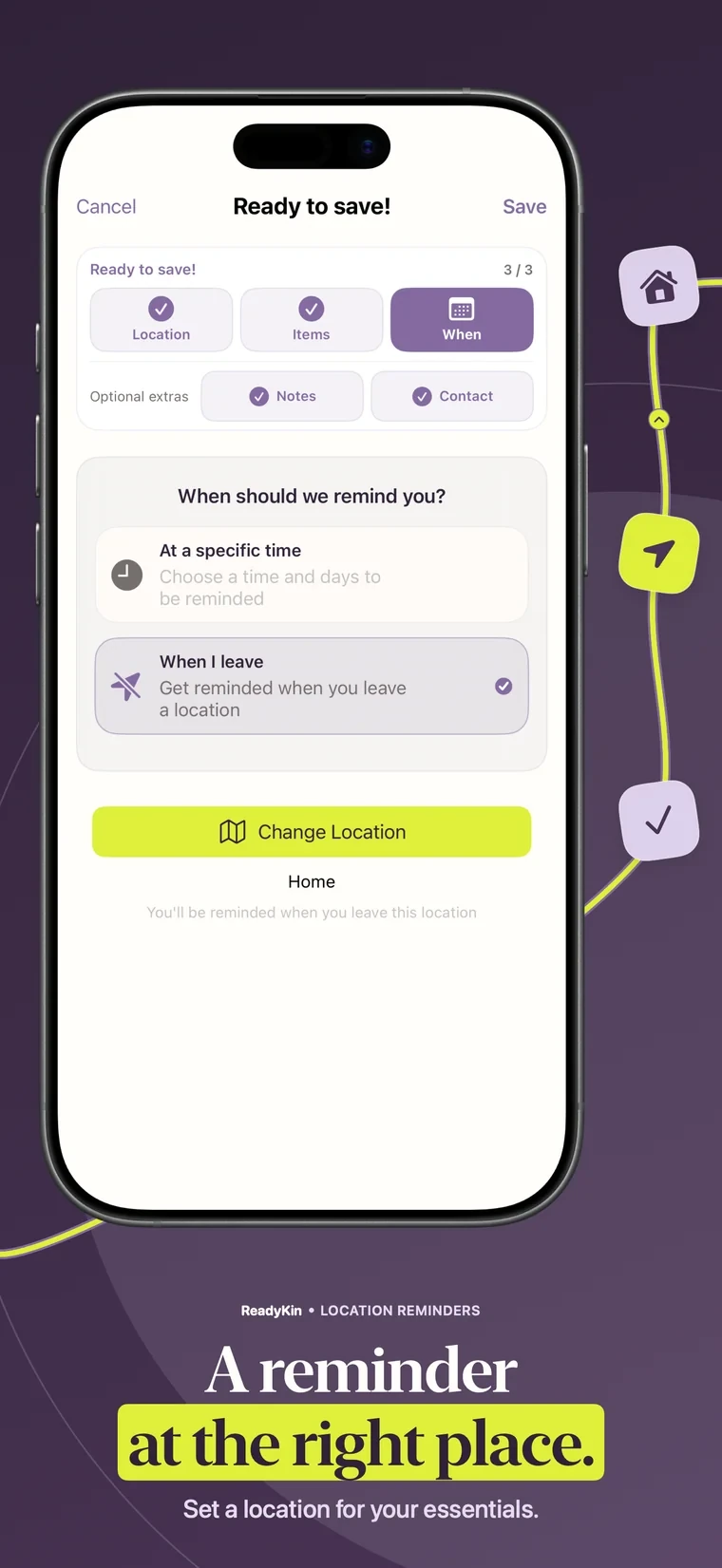
ReadyKin supports location-based reminders for arriving at or leaving a chosen place. Use them for tasks connected to home, work or another location. Keep a timed reminder as well when something must be done before you cross the location boundary.
From idea to action
Make it part of your routine.
Choose the place
Create a reminder and choose the location relevant to the task. Check the selected place carefully, especially when several locations have similar names.
Choose arrival or departure
Use arrival for something you can do after reaching a place. Use departure for a task associated with leaving. Add a clear action, such as “Pick up the parcel”.
Check permissions and try it
Allow the location and notification permissions requested by the app for your setup. Test the reminder on an ordinary trip before depending on it for an important task.
Arrival, departure or a specific time?
An arrival reminder can be useful for asking a question when you get to work or dealing with an errand at a destination. A departure reminder is useful when the task is connected with moving on from a place.
A passport, keys or a packed lunch should usually be checked before you leave. Set a time-based reminder early enough to act and use a before-leaving checklist for the final check. A location event should not be treated as a guaranteed warning before you walk out.
Write the action, not just the object
“Put the charger in my bag” is easier to act on than “Charger”. Add the detail you will need when the alert appears so you do not have to remember why you made it.
For a repeat routine, review the place, schedule and notification settings after making changes. If an alert is not behaving as expected, note what happened and send the details to support rather than repeatedly relying on the same setup.
Your questions, answered.
Can ReadyKin remind me when I arrive somewhere?
Yes. You can create a reminder associated with arrival at a chosen location, with the appropriate permissions and settings enabled.
Can ReadyKin remind me when I leave home?
ReadyKin supports departure reminders. For items that must already be in your bag before leaving, also set a timed reminder in advance.
Why might a location reminder not appear when I expect it?
Check the selected place, trigger and permissions, along with notification and Focus settings. Location detection and alert timing can vary. Contact support with your device and app details if the issue continues.
Does this replace an alarm for important tasks?
No. Treat location reminders as an organizational aid, not a guaranteed or safety-critical alarm.
Keep preparing
There is a little more to explore.
Before-Leaving Checklist & Reminder App
Build a before-leaving checklist with ReadyKin. Organize everyday essentials, set reminders in advance and make the last few minutes less rushed.
Trip preparationPacking List App for iPhone & Shared Trips
Organize trip essentials with ReadyKin for iPhone. Build a packing list, check off what is ready and keep shared travel plans together before you leave.
Across Apple devicesApple Watch Reminders & Checklists
Use ReadyKin with Apple Watch to keep reminders close while preparing to leave. Review companion-device requirements and organize your plan on iPhone.
Make the next step easier
A little more ready.
Choose the reminders and lists that fit your day.
Pricing, purchases and compatibility are listed in the App Store.
